
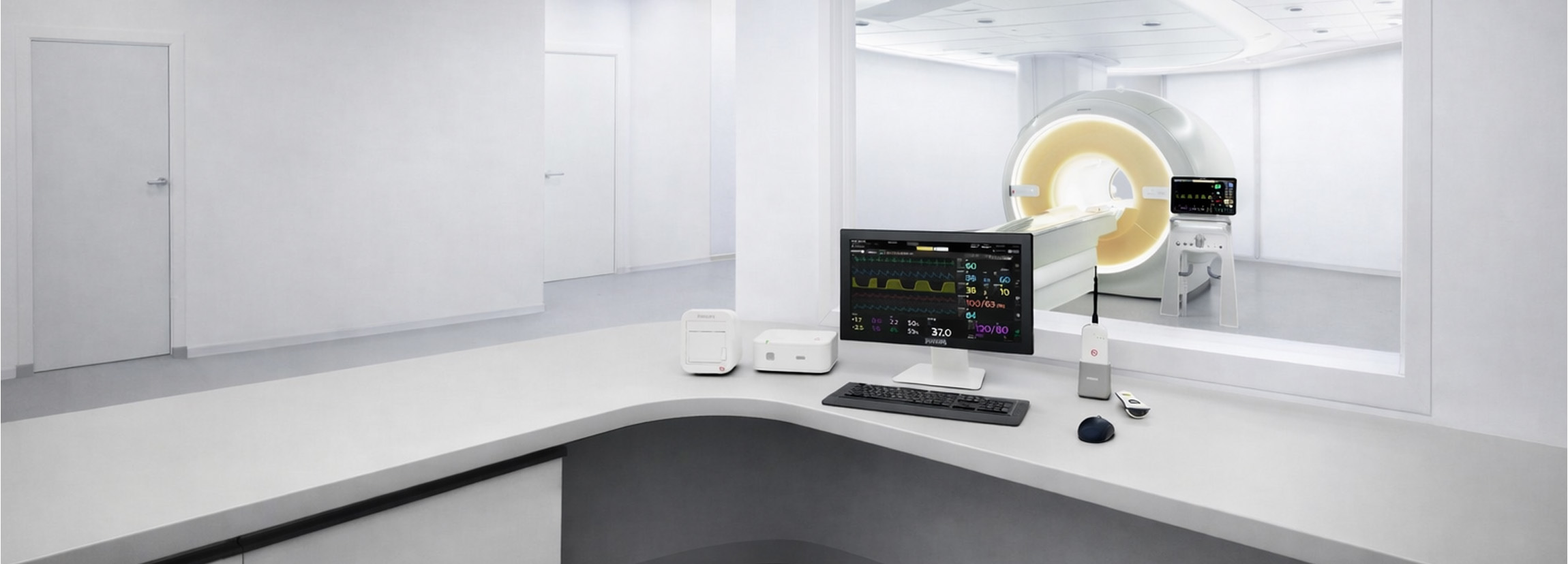
The MR400 Patient Monitor Spotlight series has primarily focused on the individual monitoring modules and the physiological parameters they provide. While these modules are critical to patient monitoring in the MRI environment, they are only part of the broader Philips MRI patient monitoring ecosystem.
An equally important component is the MR Patient Care Portal 5000, a fully synchronous remote monitoring solution designed specifically to work alongside the Philips Expression MR400 Patient Monitoring System.
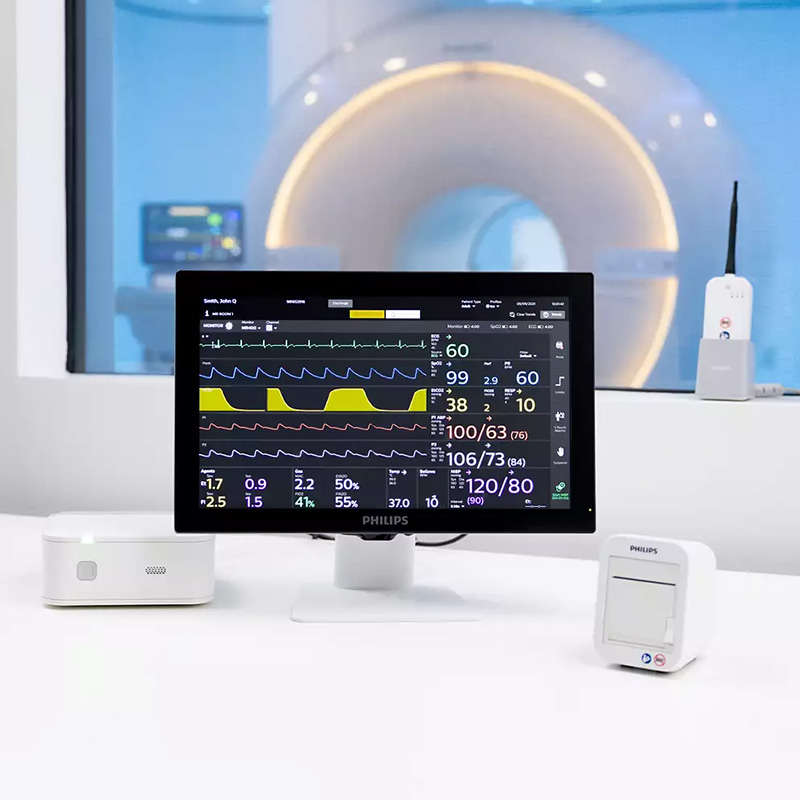
In many MRI departments, clinicians spend the majority of an examination outside the scan room while continuing to monitor patient condition. As a result, the ability to remotely access patient monitoring data and system controls can be just as important as the physiological monitoring capabilities of the MR400 itself.
The MR Patient Care Portal 5000 was developed specifically to address this requirement by providing a fully interactive remote monitoring solution that extends the functionality of the MR400 beyond the MRI environment.
Unlike a traditional slave monitor that simply mirrors information from a primary device, the Portal 5000 functions as an interactive remote monitoring station. This allows clinicians to view patient information, acknowledge alarms, review trends, and access synchronised monitoring functions from outside the MRI scan room.
Any changes made to synchronised patient monitoring functions are automatically reflected on the connected MR400 in real time, eliminating the need for staff to repeatedly enter the MRI environment to make adjustments during patient care.
This capability not only improves workflow efficiency but also enhances patient monitoring by providing clinicians with immediate access to the MR400 while remaining outside the scan room.
What Is the Patient Care Portal 5000?
The MR Patient Care Portal 5000 is a secondary control and monitoring unit that wirelessly communicates with the MR400 Patient Monitor.
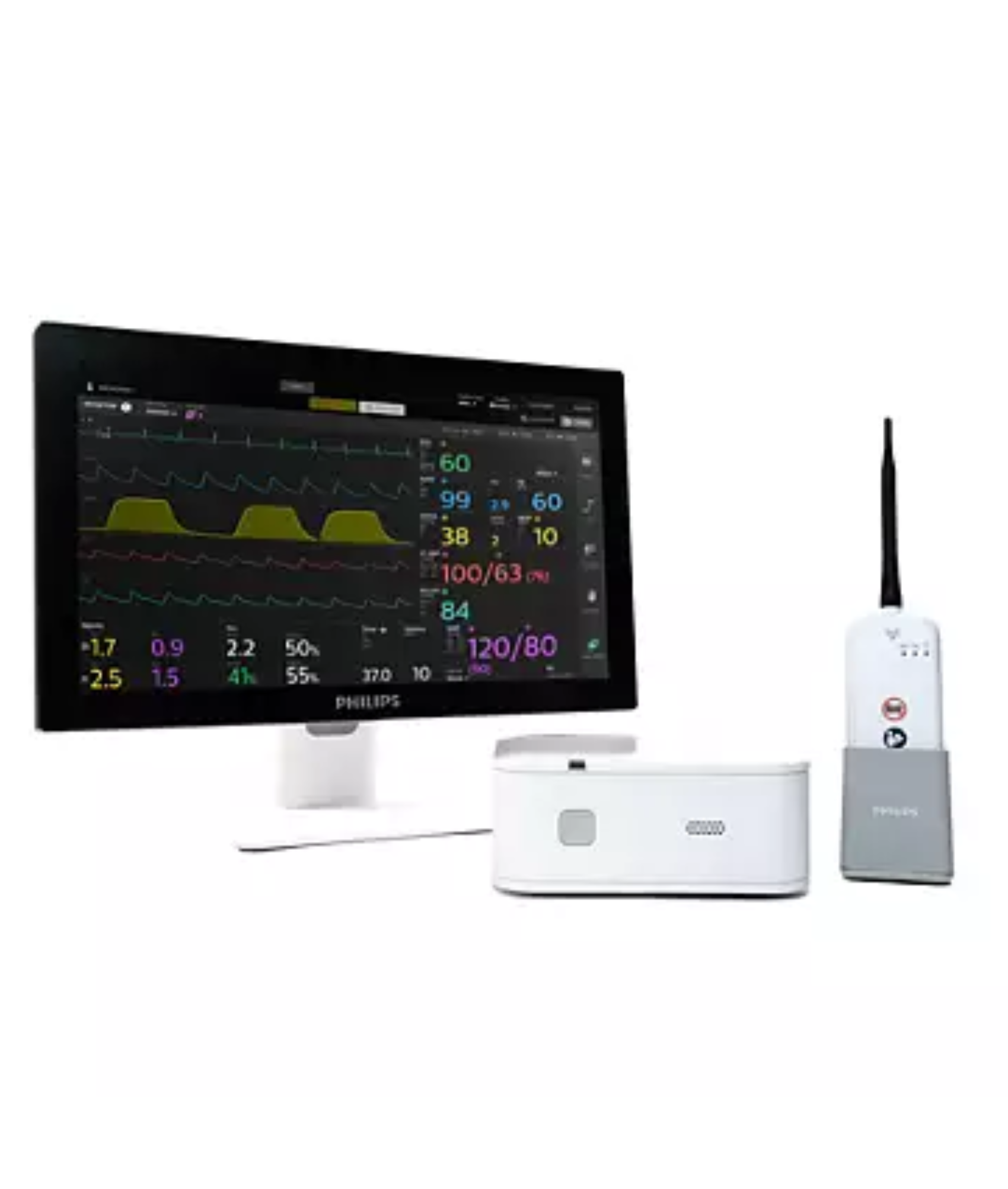
Operating as an extension of the MR400, the Portal 5000 provides healthcare professionals with access to patient monitoring information from a remote location, typically the MRI control room.
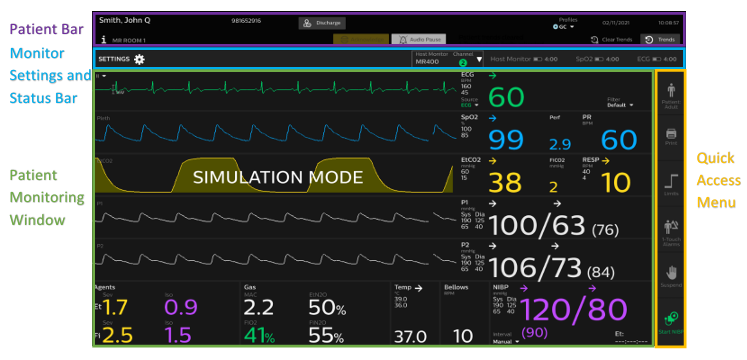
Through its touchscreen interface, clinicians can:
- View all active patient parameters
- Monitor real-time physiological waveforms
- Review trends
- Configure alarms
- Access patient data
- Control synchronised monitoring functions
- Review monitor status information
The key advantage of the Portal 5000 is that it provides far more than simple patient data display.
While not every local system setting is synchronised between the Portal 5000 and the MR400, core patient monitoring functions remain continuously synchronised between both systems, allowing clinicians to interact with the monitoring system remotely.
Why Remote Monitoring Matters in MRI
The MRI environment presents unique workflow challenges that are not encountered in many other clinical areas.
Once a patient enters the MRI suite and image acquisition begins, clinical staff typically monitor the patient from outside the magnet room. Entering the room to make monitoring adjustments may interrupt workflow and can be impractical during active scanning.
The MR Patient Care Portal 5000 addresses this challenge by providing clinicians with remote access to monitoring functions without requiring direct interaction with the MR400 itself.
This enables:
- Continuous patient observation
- Faster response to alarms
- Reduced disruption during examinations
- Improved workflow efficiency
- Greater flexibility for clinical teams
By extending access to the MR400 beyond the scan room, the Portal 5000 helps maintain continuous oversight of patient status throughout MRI procedures.
Fully Synchronous Operation
One of the features that distinguishes the Portal 5000 from conventional remote monitoring displays is its fully synchronous design.
Many traditional remote monitoring systems operate as asynchronous slave displays, meaning they can only mirror information from the primary monitor without allowing user interaction.
The Portal 5000 takes a different approach.
Because it operates as a synchronised extension of the MR400, both devices continuously share patient data, alarms, monitoring functions, and configuration information.
This allows clinicians to perform tasks such as:
- Adjusting alarm limits
- Reviewing patient information
- Accessing monitoring menus
- Reviewing trends
- Adjusting synchronised patient monitoring settings
without physically interacting with the MR400 located within the MRI environment.
The result is a more efficient workflow and reduced disruption during patient examinations.
Communication Between the Portal 5000 and MR400
The Portal 5000 communicates with the MR400 using a dedicated wireless radio system designed specifically for MRI applications.
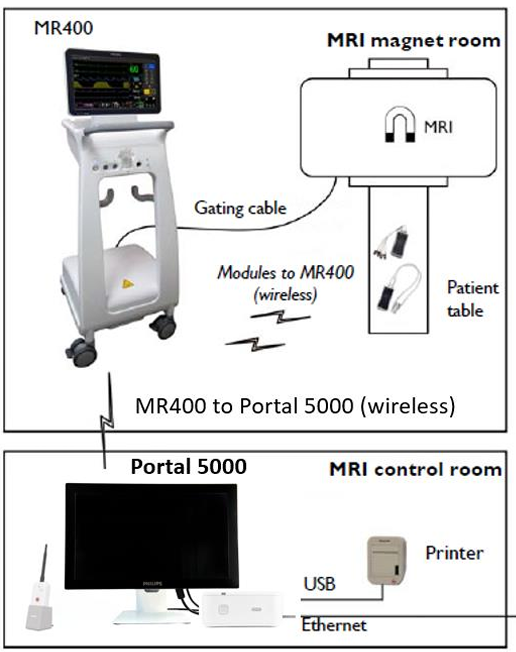
The communication system operates using a 2.4 GHz frequency-hopping spread spectrum radio architecture that provides continuous synchronisation between the Portal 5000 and MR400.
This communication link continuously synchronises patient data, alarm information, monitor settings, and user interactions between both systems. Regardless of whether a change is made on the MR400 or the Portal 5000, synchronised monitoring information is updated across the connected devices in real time.
In addition to wireless communication with the MR400, the Portal 5000 can also communicate with hospital networks when connected via Ethernet.
This allows the system to integrate into broader clinical environments where network connectivity may be required for data management, HL7 integration, or workflow purposes.
Host Selection and Channel Configuration
For communication to occur successfully, the Portal 5000 must be configured to communicate with the correct host monitor and wireless channel.
The Portal 5000 supports both the Philips MR400 and MR200 monitoring platforms. During configuration, users select the appropriate host system and communication channel.
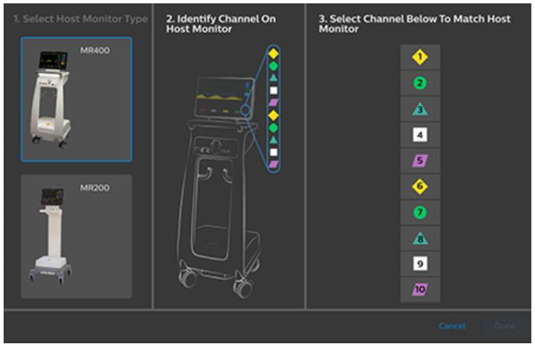
For MR400 systems, communication channels 1–10 are available.
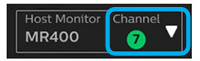
Correct channel matching between the Portal 5000 and MR400 is required for successful communication. Departments operating multiple MRI monitoring systems should ensure each system is assigned an appropriate channel to avoid communication conflicts and simplify identification.
How Settings Are Shared Between the Portal 5000 and MR400
When a Portal 5000 and MR400 establish communication, one device must assume responsibility for providing the active configuration.
The resulting behaviour depends upon the order in which the devices are powered on and connected.
There are three primary scenarios.
Scenario One: Portal 5000 Starts First
When the Portal 5000 is powered on and subsequently connects to an MR400, the Portal 5000 adopts the current settings configured on the MR400.
In this situation, the MR400 remains the source of configuration information.
Scenario Two: MR400 Starts First
When the MR400 is powered on and then establishes communication with a Portal 5000 that is already operational, the MR400 inherits the current settings from the Portal 5000.
Scenario Three: Both Devices Already Operating
When both systems are already powered on and communication is established afterwards, the Portal 5000 inherits the current settings from the MR400.
This ensures that both systems maintain identical synchronised configurations once communication has been established.
Depending on system configuration and administrative settings, some profile and settings-management functions may be restricted. Users should follow local department policies and administrative controls when managing Portal 5000 configurations.
Alarm Management and Remote Control
One of the major advantages of the Portal 5000 is its ability to provide remote interaction with the MR400 monitoring system.
From the Portal 5000, clinicians can:
- Review patient waveforms
- Access monitor settings
- Modify alarm limits
- Acknowledge alarms
- Review trends
- Configure synchronised monitoring parameters
Because these changes are synchronised with the MR400 in real time, clinicians can manage patient monitoring remotely without repeatedly entering the MRI scan room.
This capability can significantly improve workflow efficiency, particularly during lengthy examinations or when monitoring higher-acuity patients.
Components of the Portal 5000 System
The core MR Patient Care Portal 5000 solution consists of several primary components that work together to create the remote monitoring environment.
These components include:
- Desktop Processing Unit
- 18.5-inch Display Monitor
- Wireless Radio
- Radio Cradle
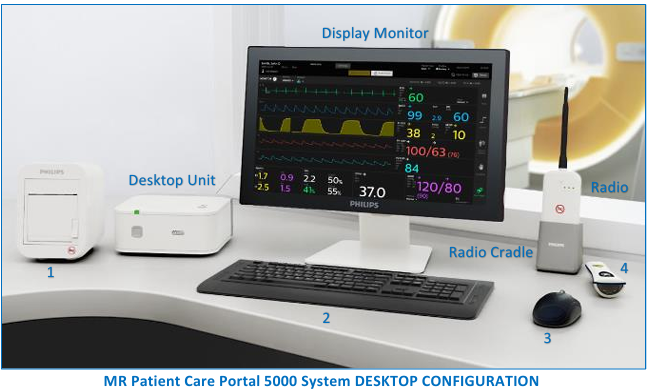
Each component plays a specific role in the operation of the system.
Desktop Processing Unit
The desktop unit acts as the central hub of the Portal 5000 system.
It provides connectivity for the display and all associated accessories while managing communication with the connected MR400.
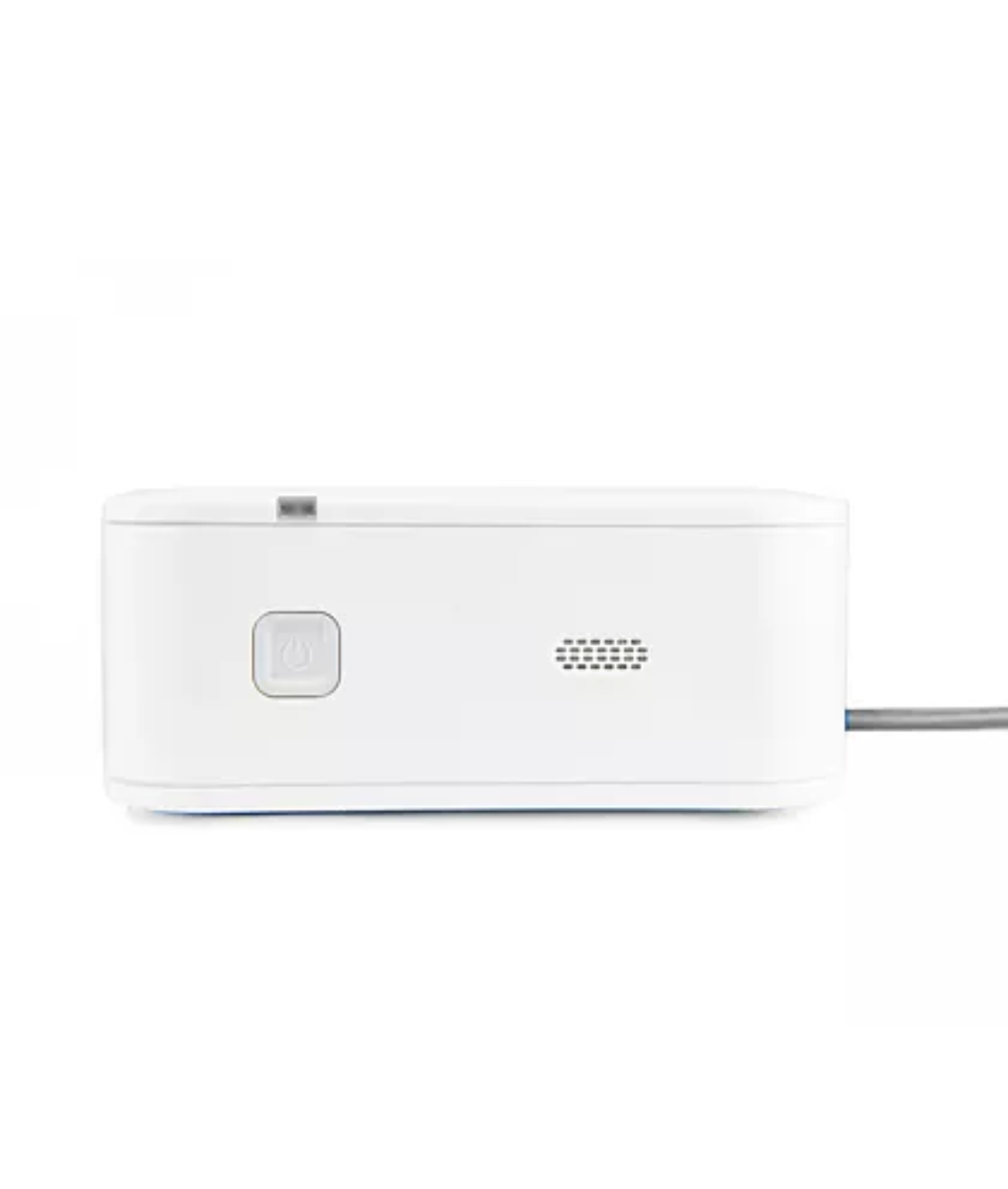
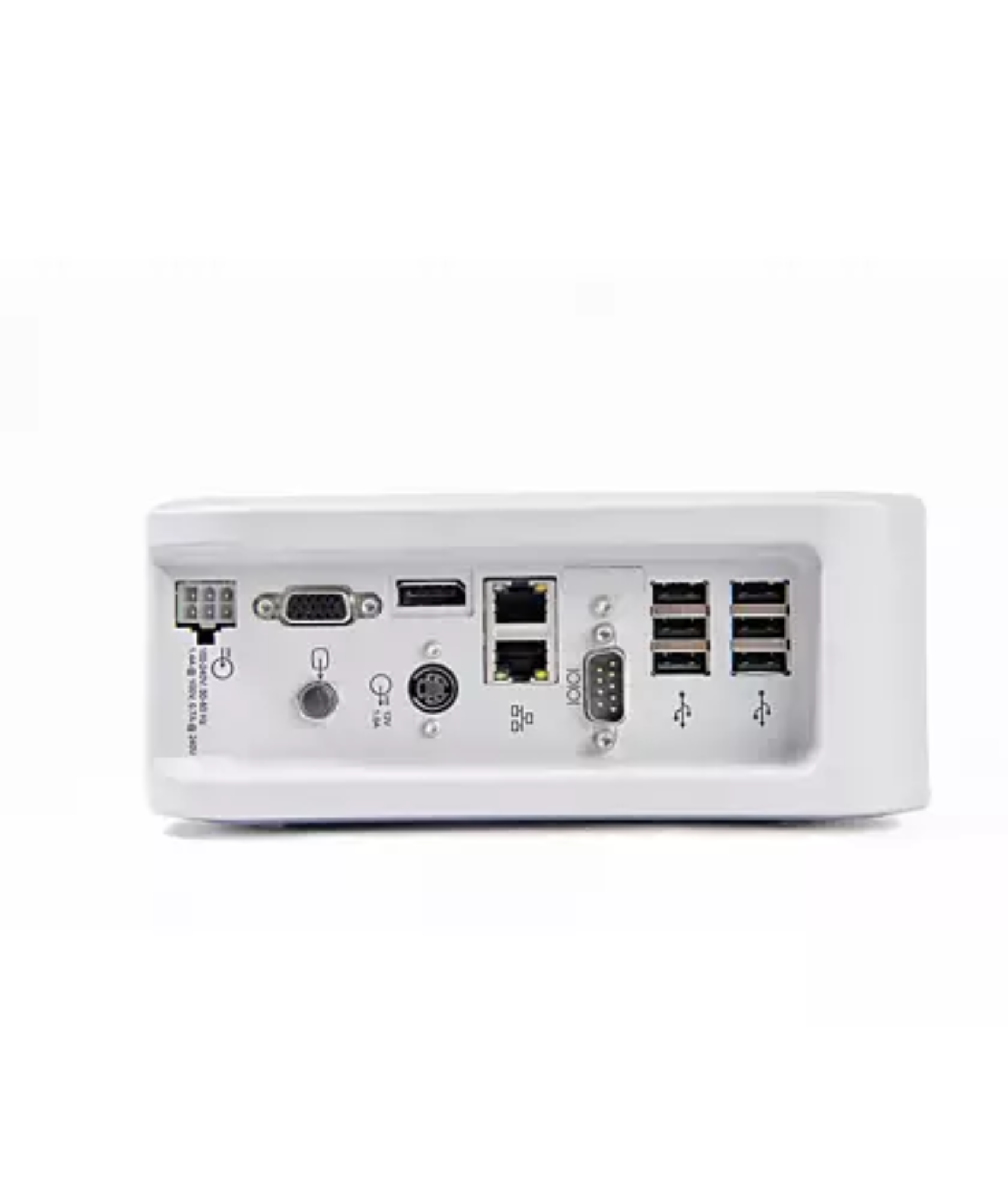
The desktop unit contains:
- USB ports
- Ethernet ports
- MicroSD card interface
- DisplayPort video output
- VGA output
- Serial data connections
- Radio communication interfaces
As the central processing hub, the desktop unit provides the foundation upon which the entire Portal 5000 system operates.
Display Monitor
The Portal 5000 incorporates an 18.5-inch touchscreen display designed to provide clinicians with clear visibility of patient information.
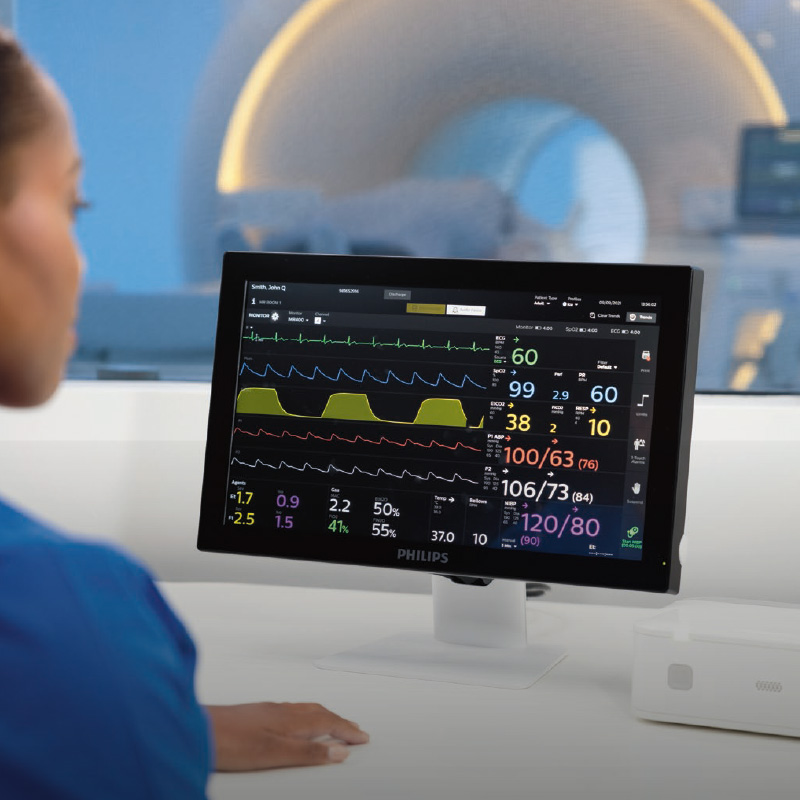
The display offers an interface that closely resembles the MR400 touchscreen experience, reducing training requirements and allowing users to transition seamlessly between systems.
The monitor also incorporates integrated speakers for alarm notification and audio feedback.
This familiar interface design allows users to access patient information quickly while maintaining confidence during operation.
Wireless Radio System
The wireless radio is responsible for receiving monitoring data transmitted by the MR400.
The radio docks into a dedicated radio cradle that incorporates a 2.8 metre USB cable. This allows the radio to be positioned independently of the desktop unit, helping optimise wireless performance and enabling installations where the radio can be located closer to the MRI control room viewing window.
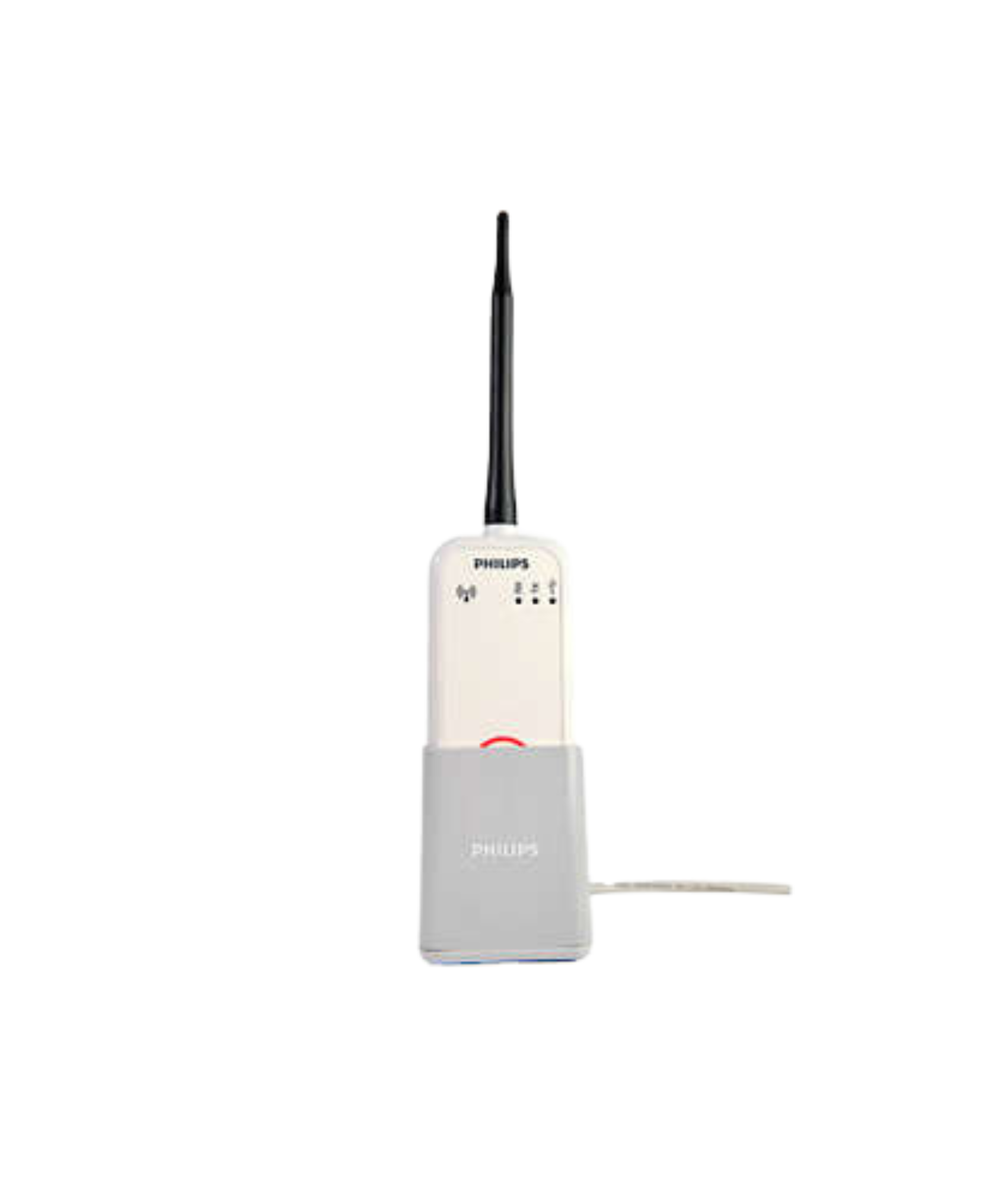
In many installations, positioning the radio near the edge of the viewing window can help optimise reception of the wireless signal passing through the MRI suite shielding.
Proper radio placement can significantly improve signal quality and communication stability between the Portal 5000 and MR400.
Optional Accessories
The Portal 5000 supports a variety of optional accessories designed to enhance functionality and improve workflow.
Available accessories may include:
- Strip chart printer
- Wireless keyboard
- Wireless mouse
- Wireless barcode scanner
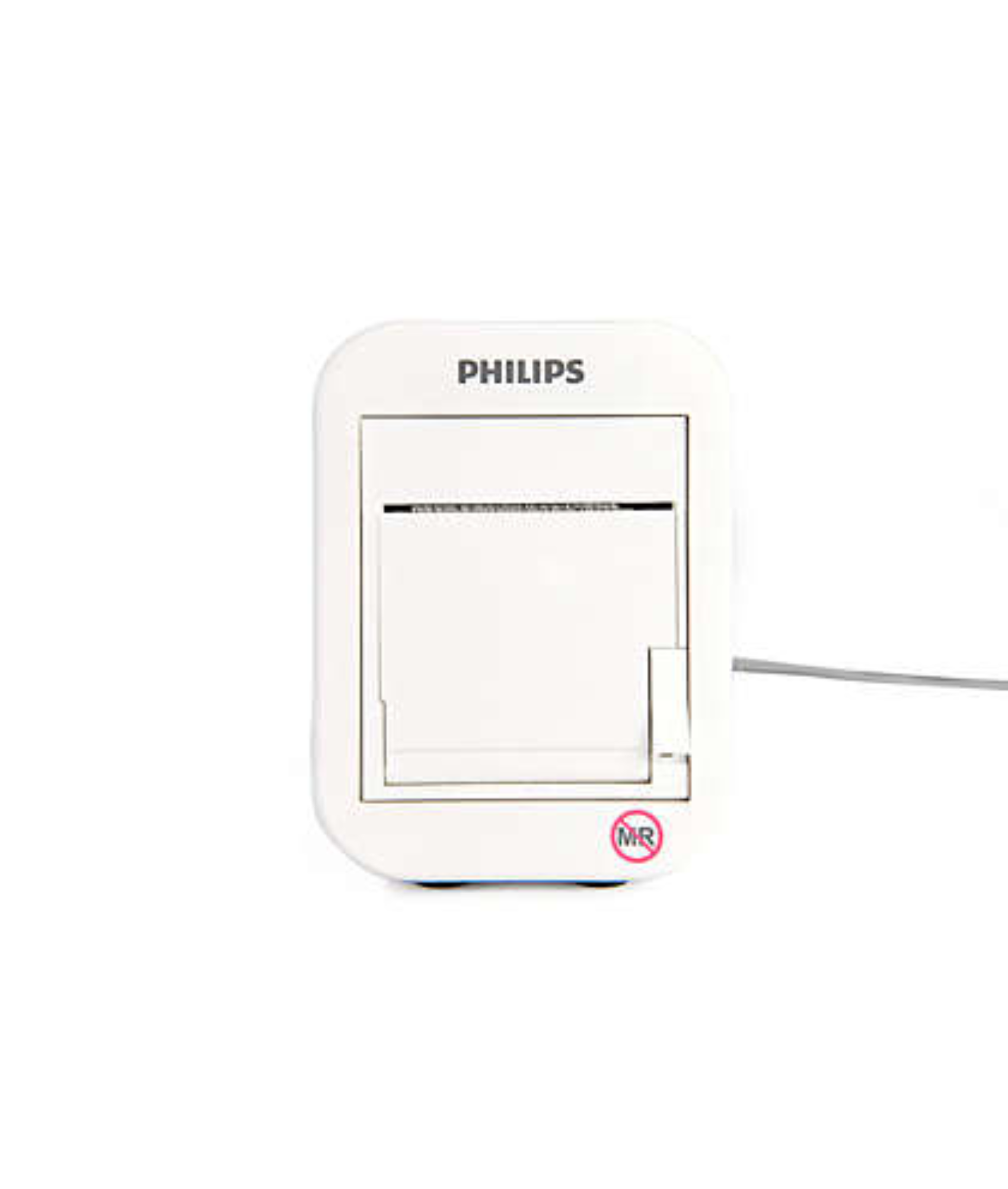
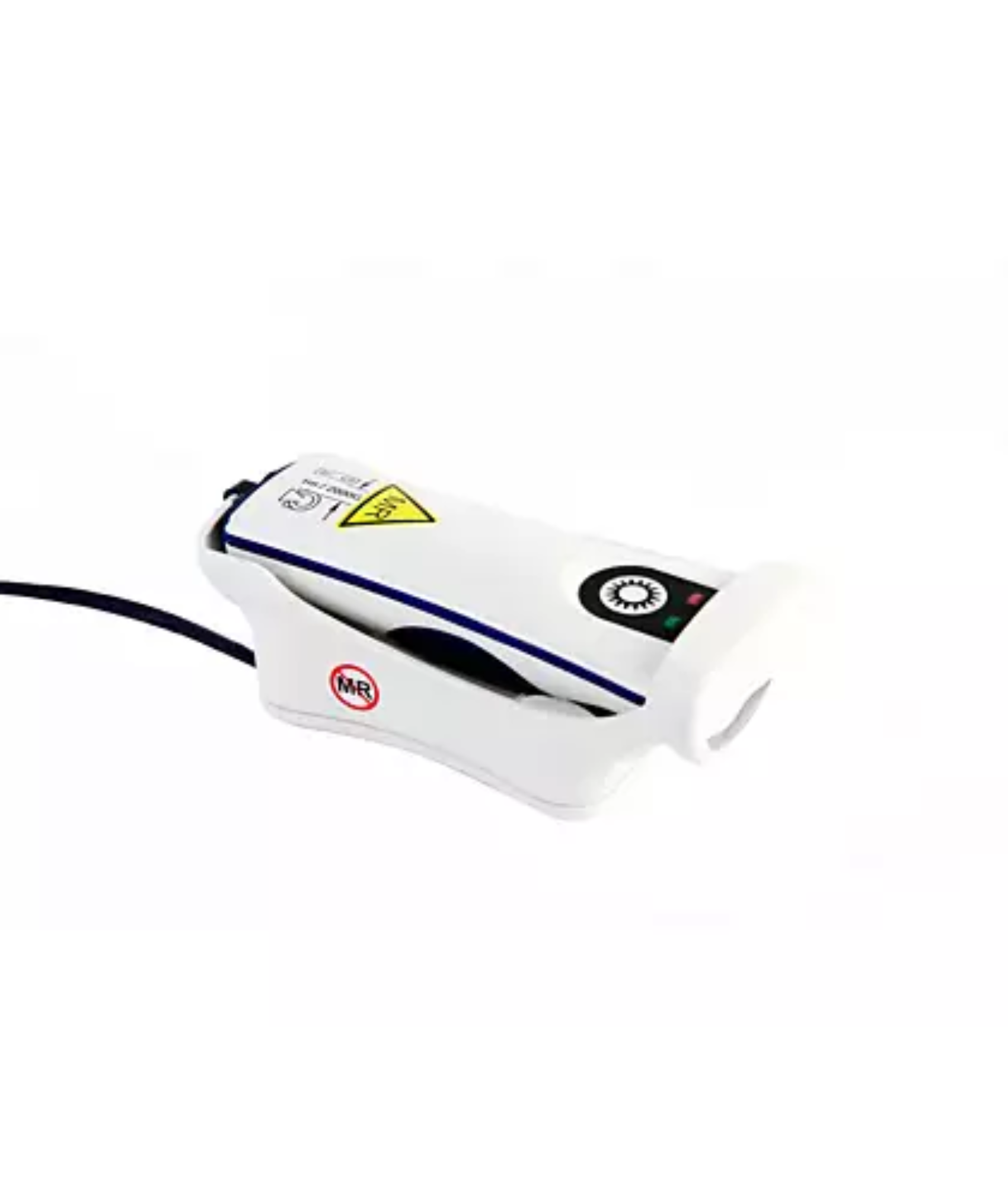
These accessories expand the capabilities of the Portal 5000 and allow facilities to tailor the system to their workflow requirements.
When Wireless Communication Is Challenging
MRI environments are designed around a Faraday cage construction that prevents unwanted electromagnetic interference from entering or leaving the scan room.
While this shielding is essential for image quality, it can create challenges for wireless communications.
Most MRI rooms allow sufficient signal leakage for normal Portal 5000 operation. However, some facilities may have shielding characteristics that reduce communication performance.
To address these situations, Philips provides alternative communication options.
Control Room Flex Antenna System
The first communication enhancement option available for the Portal 5000 is the Control Room Flex Antenna.
The Flex Antenna is designed to improve wireless communication in installations where intermittent communication interruptions occur due to MRI room shielding or local wireless conditions. The antenna is typically mounted within the MRI control room and helps improve signal transfer between the Portal 5000 and the MR400 while maintaining the flexibility of a wireless installation.
This option is often suitable for facilities experiencing occasional communication dropouts or small interruptions in waveform display but where standard wireless communication remains largely functional.
Advanced Communication Option (ACO)
For facilities experiencing more significant communication challenges, Philips provides the Advanced Communication Option (ACO).
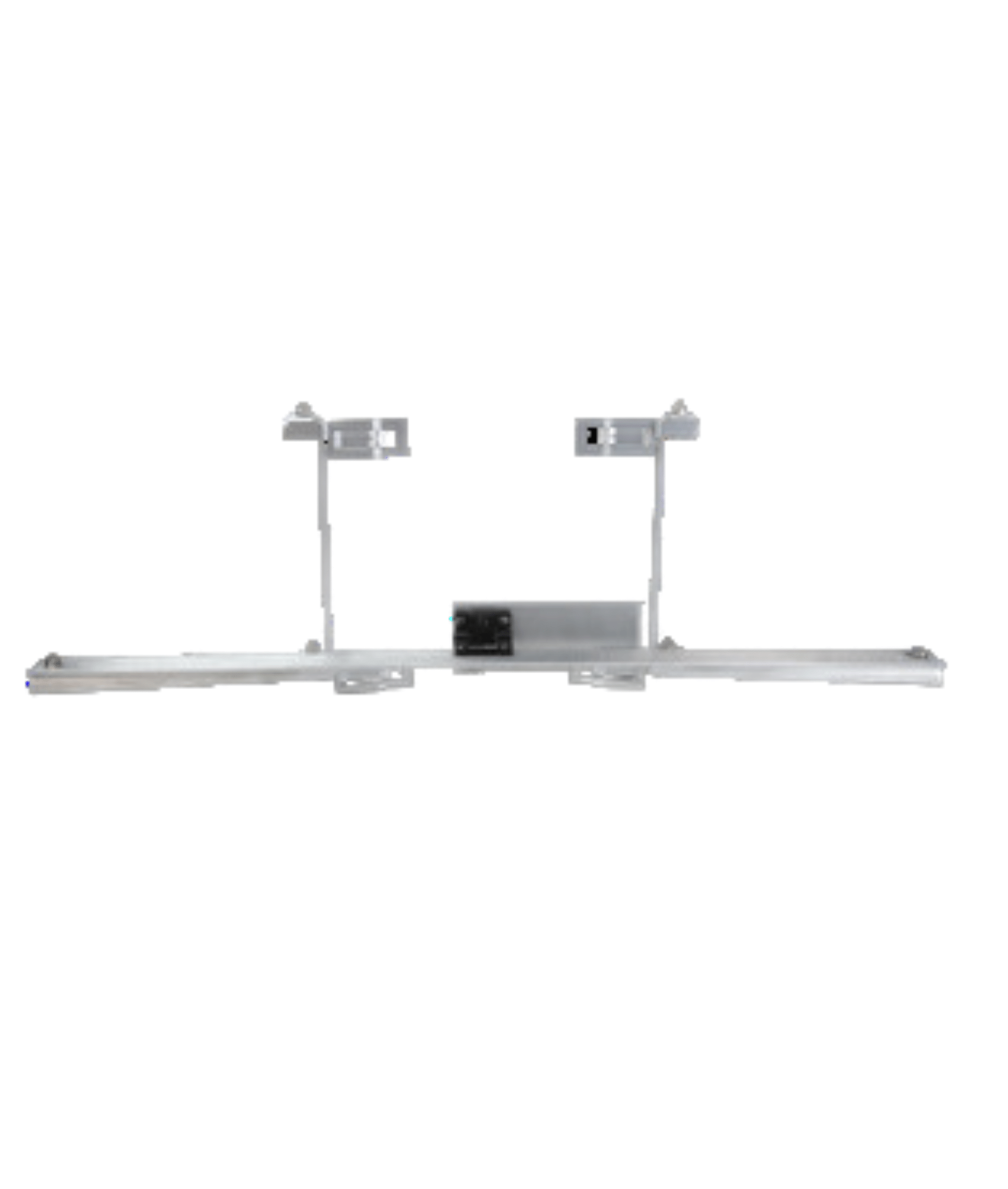
The ACO uses dedicated antennas and coaxial infrastructure to transfer communication signals through MRI room shielding and is available in both passive and conductive configurations.
The passive configuration improves communication performance while maintaining wireless communication between the Portal 5000 and the antenna infrastructure. The conductive configuration provides the highest level of communication reliability and can be utilised in MRI environments where conventional wireless communication is no longer practical.
In many installations, the ACO provides a reliable solution when standard wireless communication and the Control Room Flex Antenna do not provide sufficient performance.
Alternative Wired Communication Solutions
In specialised installations where communication challenges persist despite antenna-based solutions, additional wired communication options may be explored.
These solutions utilise coaxial cabling to route the communication signal through the MRI room penetration panel or filter plate, bypassing attenuation caused by room shielding.
By utilising a direct communication pathway, communication reliability can be improved in heavily shielded MRI environments where wireless signal transfer remains problematic.
Choosing the Right Communication Method
Most facilities will operate successfully using the standard wireless radio system supplied with the Portal 5000.
Where communication performance requires improvement, the recommended progression is:
- Optimise the standard wireless radio placement.
- Implement a Control Room Flex Antenna.
- Deploy an Advanced Communication Option (ACO).
- Explore additional wired communication solutions if required.
The most appropriate solution depends on factors such as:
- MRI room construction
- Shielding effectiveness
- Equipment location
- Workflow preferences
- Installation requirements
- Local wireless interference
Selecting the correct communication method helps ensure reliable synchronisation between the Portal 5000 and MR400 while maintaining an efficient clinical workflow.
Conclusion
The Philips MR Patient Care Portal 5000 is far more than a remote display. As a synchronised extension of the MR400 Patient Monitoring System, it provides clinicians with comprehensive remote access to patient data, alarm management, monitor settings, trends, and monitoring functions from outside the MRI environment.
Unlike conventional slave displays that simply mirror information, the Portal 5000 allows clinicians to actively interact with the MR400 while maintaining continuous synchronisation between both systems. This capability helps improve workflow efficiency, reduce unnecessary movement between the control room and scan room, and maintain continuous visibility of patient status throughout MRI examinations.
Through its touchscreen interface, flexible communication options, configurable accessories, and seamless integration with the MR400, the Portal 5000 serves as an important part of the Philips MRI patient monitoring ecosystem.
Whether communicating through its standard wireless radio system, a dedicated coaxial connection, a Control Room Flex Antenna, or an Advanced Communication Option, the Portal 5000 provides healthcare professionals with a powerful tool for managing patient monitoring safely and efficiently within the MRI environment.
Philips MR Patient Care Portal 5000 FAQs
1. What is the Philips MR Patient Care Portal 5000?
The MR Patient Care Portal 5000 is a remote monitoring and control station designed to work with the Philips Expression MR400 Patient Monitoring System. Unlike a traditional slave monitor that only displays patient information, the Portal 5000 provides access to patient data, monitoring functions, alarm management, trends, and configuration options from outside the MRI scan room.
2. How is the Portal 5000 different from a standard remote display?
A standard remote display typically mirrors information from a primary monitor without allowing user interaction. The Portal 5000 operates as a synchronised extension of the MR400, allowing clinicians to view patient data, review trends, acknowledge alarms, and interact with synchronised monitoring functions remotely.
3. How does the Portal 5000 communicate with the MR400?
The Portal 5000 communicates with the MR400 through a dedicated wireless radio system designed specifically for MRI applications. This communication link allows continuous synchronisation of patient data and monitor settings. Where wireless performance is affected by MRI room shielding, alternative communication methods such as a coaxial cable connection, Control Room Flex Antenna, or Advanced Communication Option (ACO) may be used to improve reliability.
4. Why is the Portal 5000 unable to communicate with the MR400?
Communication issues are most commonly caused by an incorrect channel selection, wireless interference, excessive separation between devices, or MRI room shielding preventing reliable signal transmission.
The Portal 5000 and MR400 must be configured for the same communication channel before communication can be established. In environments where standard wireless communication is unreliable, optional solutions such as a Control Room Flex Antenna or an Advanced Communication Option (ACO) may be used to improve communication performance.
5. Can patient monitoring settings be changed from the Portal 5000?
Yes. The Portal 5000 provides access to many of the same monitoring functions available on the MR400.
Clinicians can review patient data, adjust alarm limits, review trends, acknowledge alarms, and interact with synchronised monitoring settings directly from the Portal 5000. Any synchronised changes are automatically reflected on the connected MR400 in real time.