
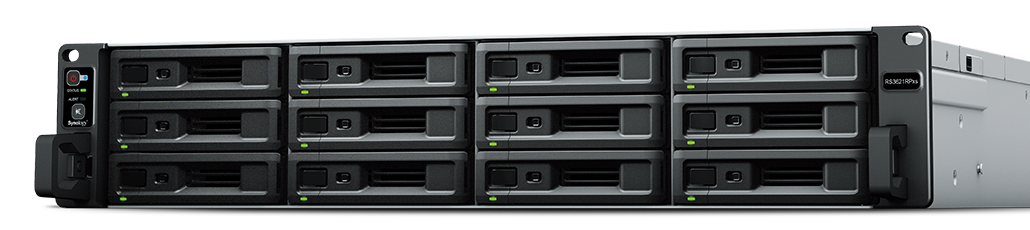
Synology – RackStation RS3621RPXS
- Powerful Performance
Over 315,000 random read IOPS and 4,600MB/s sequential read performance - Powerful Compute
Host multiple compute-intensive services with its 6-core Intel® processor - Upgradability
Two PCIe expansion slots allow for M.2 NVMe cache adapters and high-bandwidth network cards - Redundant Power
Ensure business continuity with two redundant power supplies - On-demand Scalability
Supports up to 36 drive bays using two RX1217RP/RX1217 - Warranty
Comes with Synology’s 5-year warranty

Compute
Intel® Xeon® D-1531 6-core 2.2 GHz

Throughput
4,718 MB/s seq. read 189,098 4K random read IOPS

Expandability

Scalability
Reliability first
Service continuity is at the core of the RS3621RPxs design.
Redundant power
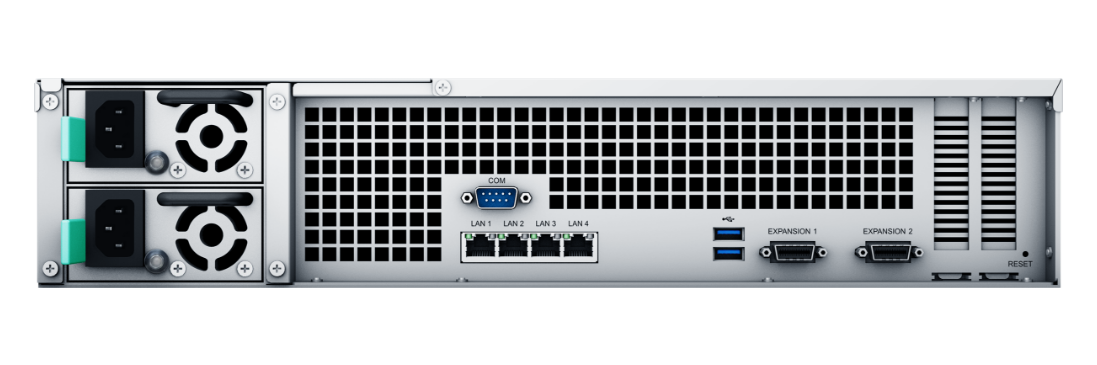
Dual PSUs provide protection against a PSU failure or accidental cord removal while hot-swappable fans can be replaced without powering down the system.
Near-zero downtime
Synology High Availability (SHA) pairs two identical units together creating an active-passive cluster with minute-level failover.
Customize to suit
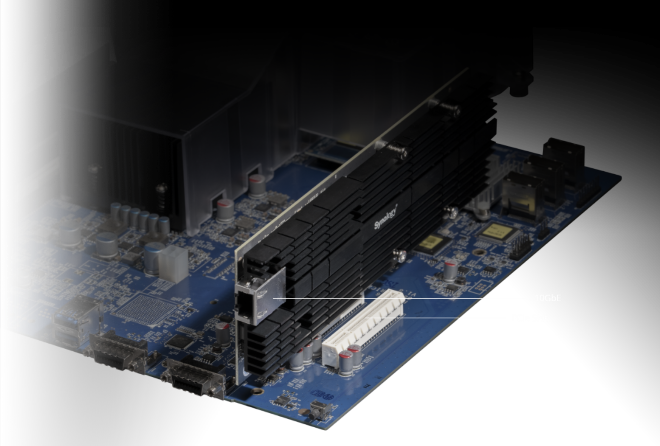
The two built-in PCIe slots allow users to customize the RS3621RPxs to satisfy unique performance, networking, and storage requirements3.
10GbE ready
Support for 10GbE NICs expands the throughput of the unit by up to 5x times using link aggregation.
SSD cache
Boost read/write IOPS by up to 16 times by enabling SSD cache via our Synology M.2 NVMe adapter cards and SNV3000 Series SSDs or by installing one or more 2.5” SAT5200 SSDs.
On-demand drive bays
Expand to 36 drive bays using two RX1217RP/RX1217 expansion units with minimal intervention.
License-free backup solutions
Keep disaster at bay
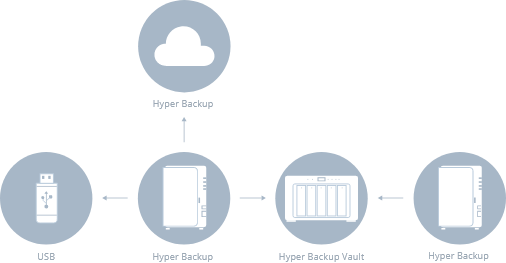
Hyper Backup
A comprehensive backup and recovery solution for securing data stored on Synology servers. Backup data locally, to another Synology device, rsync server, or cloud-based storage such as Google Drive, Dropbox, S3-compatible destinations, and Synology C2. Deduplication5, integrity checks, and incremental transfer technology reduce bandwidth and storage used.
Snapshot Replication
Easily schedule flexible point-in-time backups of shared folders and iSCSI LUNs with an RPO as low as 5 minutes and recovery in seconds. Set up replication and failover to other Synology storage systems for fast RTOs and minimal service disruption
Backup your entire IT infrastructure
Active Backup Suite
Enables administrators to easily backup the entire IT infrastructure to their NAS, including Windows & Linux workstations and servers, file servers, VMware and Hyper-V virtual machines, and Microsoft 365 and Google Workspace accounts. Backups benefit from deduplication, multi-versioning, and optimizations to reduce bandwidth and storage used.
Storage for virtualization
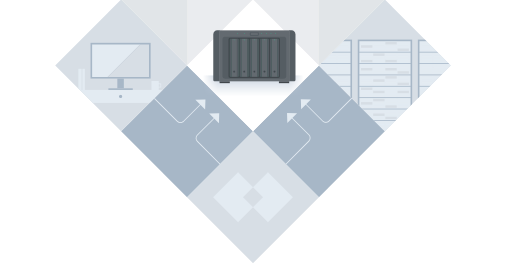
Synology iSCSI storage supports mainstream virtualization solutions with an easy management interface to enhance usability. VMware vSphere 6.5 and VAAI integration helps offload storage operations. Windows Offloaded Data Transfer (ODX) speeds up data transfer. OpenStack Cinder support turns your Synology NAS into a block-based storage component. Additionally, Synology Storage Console enables even more simplified storage provisioning and management options in VMware and Windows environments
Powerful built-in surveillance functionality
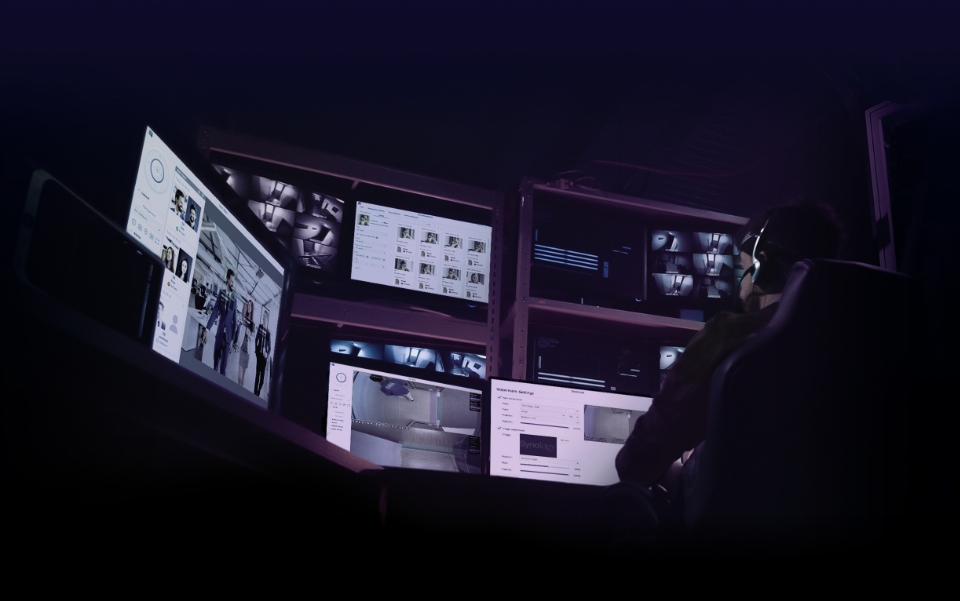
Synology Surveillance Station transforms the RS3621RPxs into a feature-packed Network Video Recorder solution. Support for up to 75 IP cameras6 and video analytics such as motion detection, no idle zone, foreign object detection, and anomaly detection cater to the most common surveillance scenarios.
Secure and private
AES-256 encryption keeps locally-stored footage secure.
Access from anywhere, anytime
Access recordings and live streams whenever you want using a web browser, desktop client, or the DS cam mobile app.
Real-time alerts
Email, SMS, or push notifications alert you when incidents occur or predefined conditions are met.
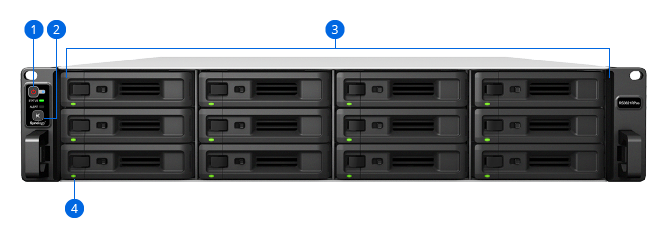
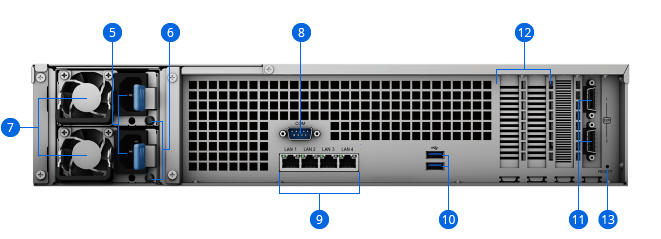
- 1. Power Button and Indicator
- 2. Alert Off Button
- 3. Drive Tray
- 4. Drive Status Indicator
- 5. Power Port
- 6. PSU Indicators & Alert Off Buttons
- 7. PSU Fan
- 8. Console Port
- 9. 1GbE RJ-45 Port
- 10. USB 3.2 Ports
- 11. Expansion Port
- 12. PCIe Expansion Slot
- 13. Reset Button


