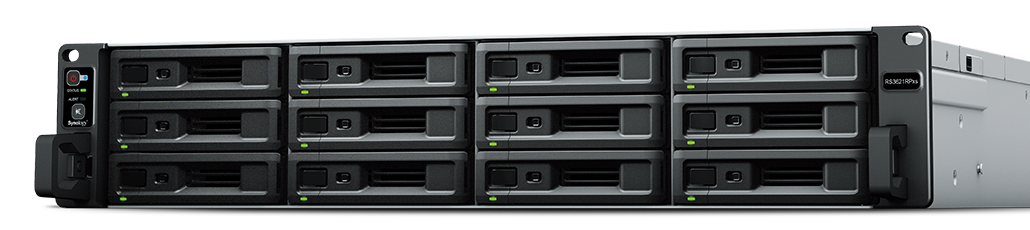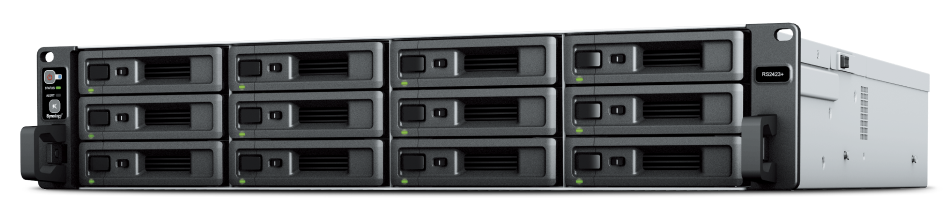
Synology – RackStation RS2423RP+
- Solid Performance
Over 3,500/1,700 MB/s sequential read/write throughput supports officewide applications - On-Demand Expansion
Scale up to 24 drive bays and 432 TB of raw storage with one Synology RX1223RP Expansion Unit - Comprehensive Backups
Protect your IT infrastructure with license free solutions for backup, replication, and recovery - Availability Safeguards
Hot-swappable drives, online volume expansion, dual power supplies, and high availability clustering help keep services online

Business-ready
Over 3,500/1,700 MB/s seq. read/write, built-in 10GbE, and up to 240 TB raw storage before expansion.

Flexible configuration
Add 12 extra drive bays, 1/10/25GbE ports, and SSD cache volumes whenever needed.

Versatile applications
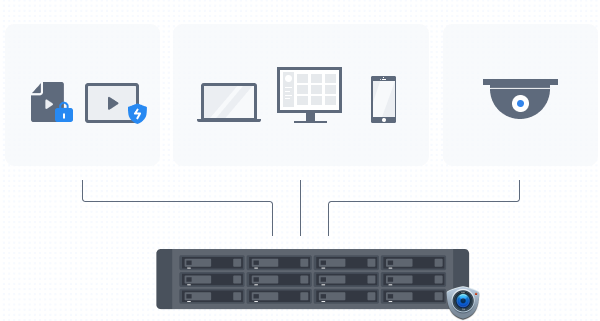
Back up 300 endpoints, manage 75 IP cameras, or safely sync and share files between devices and sites.
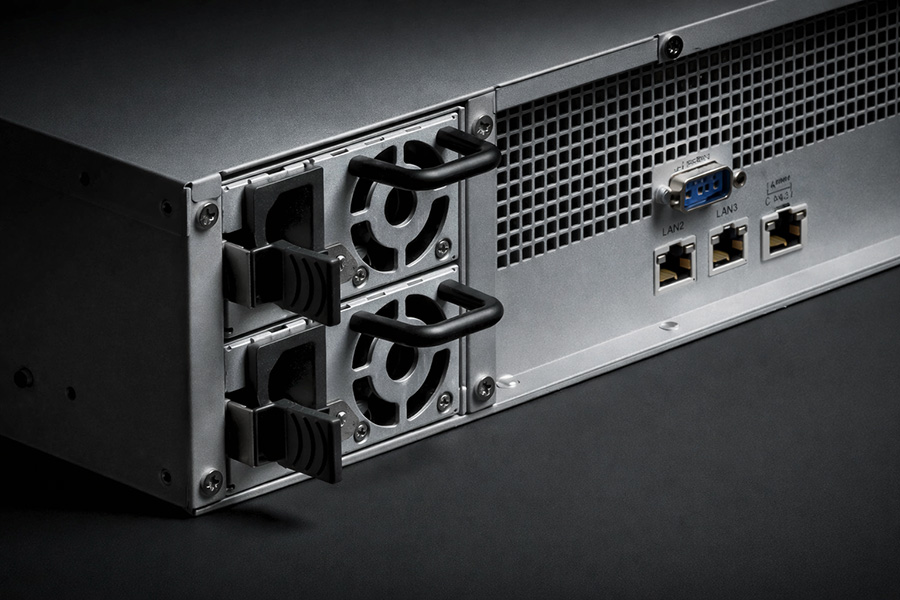
Designed for reliability
The RS2423RP+ and RS2423+ come with one 10GbE RJ-45 port and two Gigabit RJ-45 ports, which can be bonded with Link Aggregation to enable automatic network failover and load balancing.
Two RS2423RP+/RS2423+ units can be paired using Synology High Availability to form a reliable active-passive server cluster, maximizing service uptime.
The RS2423RP+ also features redundant and hot-swappable power supply units to protect service continuity in case there are issues with one power source.
Room for expansion
Easily adjust the 2U 12-bay RS2423RP+/RS2423+ to match the usage of your environment, whether it needs performance, faster networking, or higher storage capacity.
Storage expansion
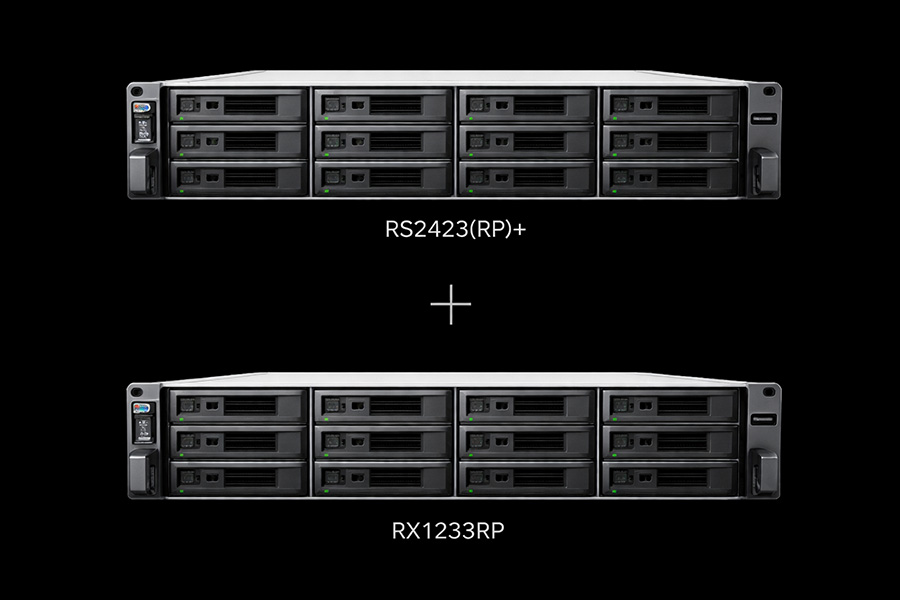
Add 12 extra drive bays for a total of 24 drive bays with a RX1223RP expansion unit.
Consolidated backup server
Endpoint, VM, and NAS/SAN protection
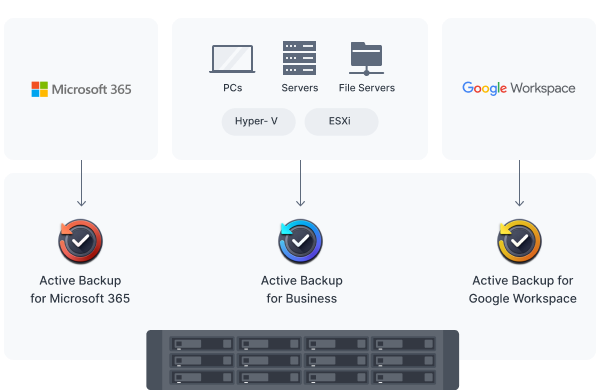
Securely back up Windows, Mac, and Linux endpoints, Synology servers, and VMware® and Hyper-V® virtual machines with Active Backup for Business.
Microsoft 365 and Google Workspace
Centralize backups of Microsoft 365 and Google Workspace data to protect cloud data from accidents and simplify compliance with data retention policies. Schedulable backups, flexible file versioning, and block-level deduplication ensure flexibility and savings in terms of storage and bandwidth consumption.
Data protection and recovery
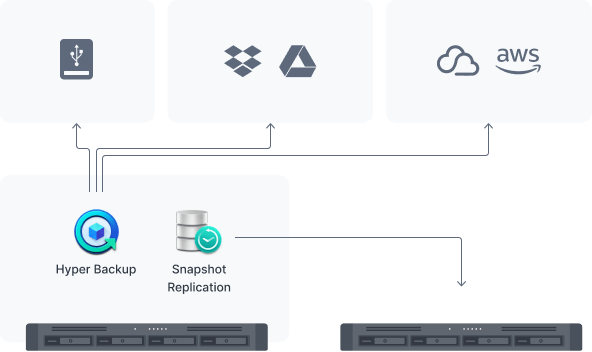
Hyper Backup
Back up files, LUNs, installed applications, and system configurations to destinations including Synology C2 Storage,6public cloud platforms, USB devices, file servers, local folders, and other Synology systems.
Set and forget backup tasks with regular schedules, enhance security with granular user permissions and encryption, keep backup sizes small with built-in deduplication, and restore data flexibly with multi-versioning.
Snapshot Replication
Snapshot Replication enables configurable point-in-time snapshots of shared folders and VM storage with an RPO as low as 5 minutes and recovery within seconds.
Simple-to-deploy local surveillance
Wide device compatibility
Connect up to 75 IP cameras from a selection of over 8,600 validated models thanks to Synology Surveillance Station’s wide camera compatibility.7
Multi-platform convenience
Monitor live streams or watch recordings from web browsers, desktop clients, or the DS cam mobile app.
Secure and private storage
Footage is stored locally for easier compliance with data protection regulations and further protected from unauthorized access with industry-standard AES-256 encryption.
Flexible monitoring of multiple locations
Assisted camera deployment
Automatically locate new cameras within a set IP range, and configure units in batch via spreadsheet import or replicating settings to new cameras.
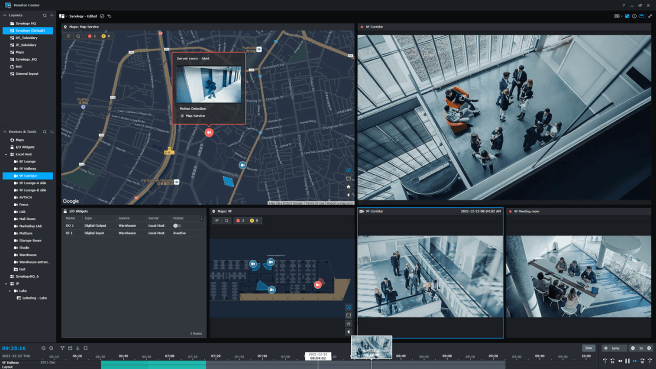
Centralized management and monitoring
Stay on top of your deployment by previewing triggered events directly on multi-floor or multi-location maps, with online map integration for Google Maps and OpenStreetMap.
Time-saving video analytics
Take advantage of intelligent monitoring features such as motion detection, no-idle zones, foreign object detection, and anomaly detection that cater to common surveillance scenarios.
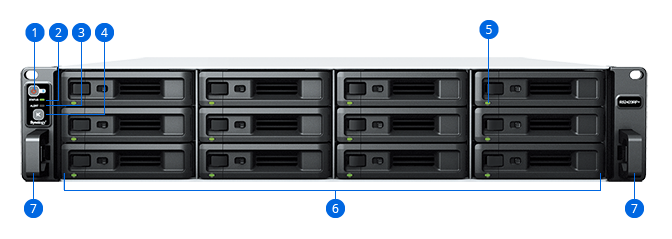
- 1. Power Button and Indicator
- 2. Status Indicator
- 3. Alert Indicator
- 4. Mute Button
- 5. Drive Status Indicators
- 6. Drive Trays
- 7. Rail Kit Release Tabs
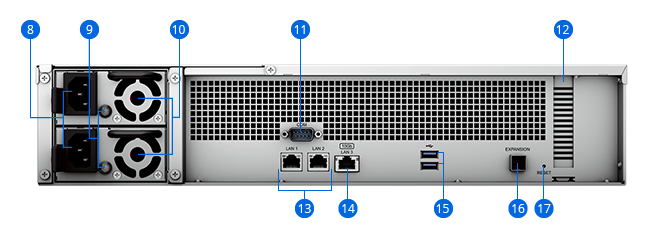
- 8. Power Port
- 9. PSU Indicators & Alert Off Buttons
- 10. PSU Fans
- 11. Console Port
- 12. PCI Express Expansion Slot
- 13. 1GbE RJ-45 Ports
- 14. 10GbE RJ-45 Port
- 15. USB 3.2 Gen 1 Ports
- 16. Expansion Port
- 17. Reset Button