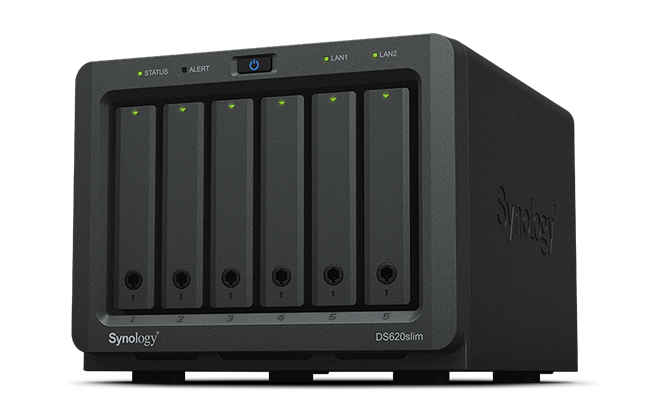
Synology – DiskStation DS620slim
- Mini-sized yet powerful 6-bay NAS, ready to maximize your work productivity
- 6 drive bays with better RAID flexibility to configure 2.5” HDDs and SSDs
- 2GB DDR3L memory, expandable up to 6GB
- Over 220 MB/s reading and 190 MB/s writing even under encrypted data transmission
- Advanced Btrfs file system, offering 65,000 systemwide snapshots and 1,024 snapshots per shared folder
- Anywhere access with iOS and Android™ ready mobile apps


CPU
Dual-core 2GHz burst up to 2.5GHz
Memory
DDR3L 2GB, up to 6GB
Encryption Performance
Over 226 MB/s reading and 198 MB/s writing
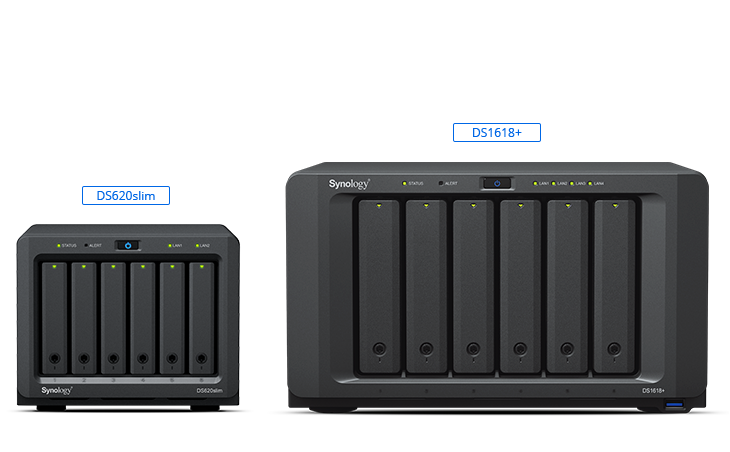
Remain classic while shrinking footprint
The mini 6-bay design keeps DS620slim classic and saves deployment space. With six 2.5″ drive support, DS620slim is able to boost performance by installing SSDs.
Ultimate file management and sharing
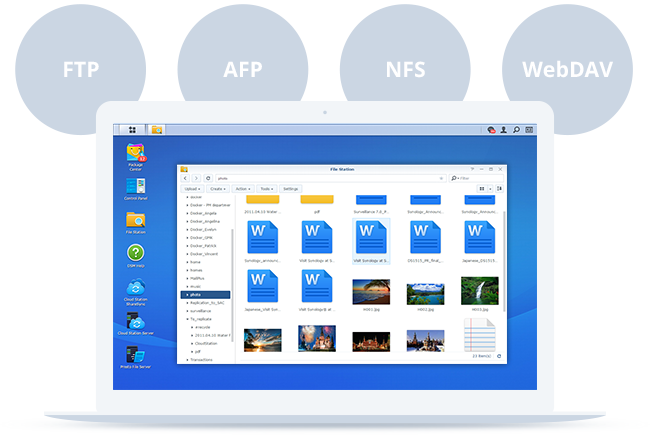
File Station is a web-based, fast and secure management tool built to allow easy, drag-and-drop operations without requiring any complex setup on Mac or PC. Advanced search and filtering tools allow for easy organization and file sharing. For complete compatibility, DS620slim supports the following protocols: AFP, FTP, iSCSI, NFS, SMB, and WebDAV.
Stream content to your TV
Turn your Synology NAS into a home media hub and stream your digital contents to computers, mobile devices, Samsung TV, Apple TV, Google Chromecast, and DLNA devices.
Access and sync your files seamlessly
Synology Drive provides a built-in universal portal to access your data anytime and anywhere, and synchronize all your files across platforms, including Windows, macOS, Linux, Android, and iOS. Learn more
Sync files on demand: Save the storage space and network bandwidth of your PC.
Go back in time: Easily retrieve previous versions of your shared files.
Back up your data: Protect your files as scheduled or in real-time.
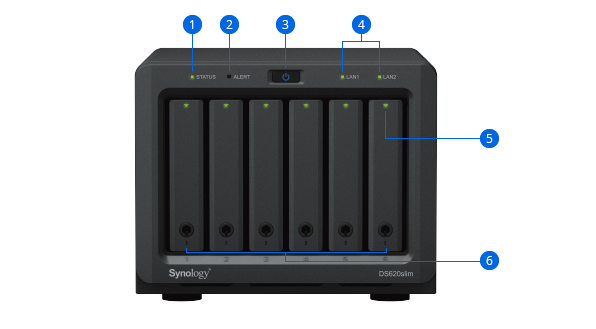
- 1. Status Indicator
- 2. Alert indicator
- 3. Power button
- 4. LAN indicator
- 5. Drive status indicator
- 6. Drive tray
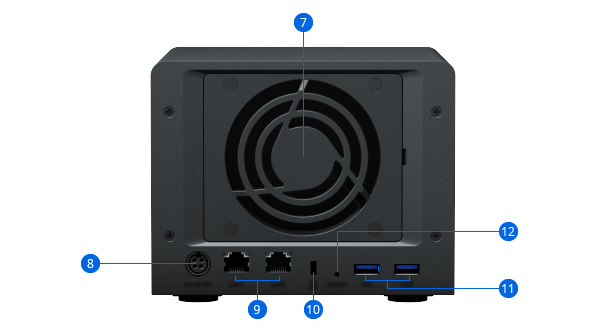
- 7. System fan
- 8. Power port
- 9. 1GbE RJ-45 port
- 10. Kensington Security Slot
- 11. USB 3.0 port
- 12. Reset button