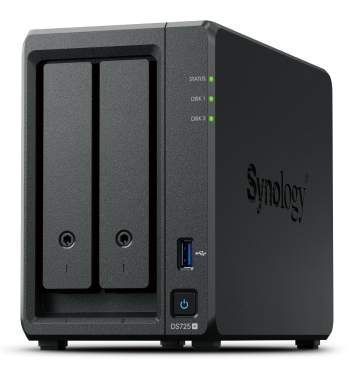
Synology – Diskstation DS1823XS+
- Powerful Performance
Over 3,100/2,600 MB/s sequential read/write throughput and over 227,000/83,000 random read/write IOPS support heavier applications - On-Demand Expansion
Attach up to 2 plug-and-play Synology DX517 Expansion Units for up to 18 drive bays and 324 TB or raw storage - Comprehensive Backups
Protect your IT infrastructure with licensefree solutions for backup, replication, and recovery - Availability Safeguards
Maximize uptime with hot-swappable drives, online volume expansion, and Synology High Availability clustering - Long-Term Support
Backed by Synology’s 5-year limited warranty


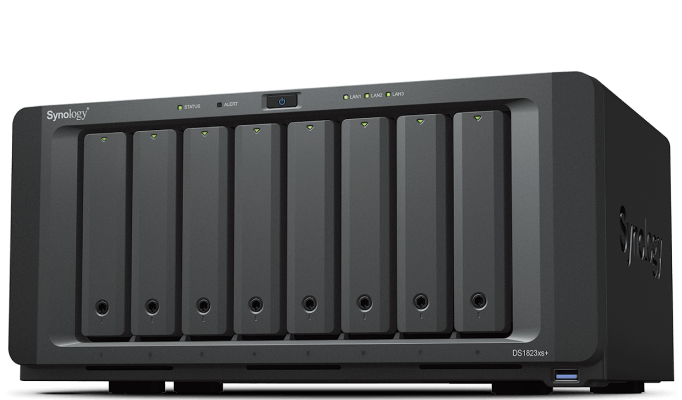
Desktop-sized powerhouse
Over 3,100/2,600 MB/s seq. read/write,2 built-in 10GbE, and up to 160 TB raw storage3 before expansion.
Flexible configuration
Add up to 10 extra drive bays, 25GbE or Fibre Channel, and SSD cache volumes when needed
Versatile applications
Back up 300 endpoints, manage 75 IP cameras,5 or safely sync and share files between devices and sites.
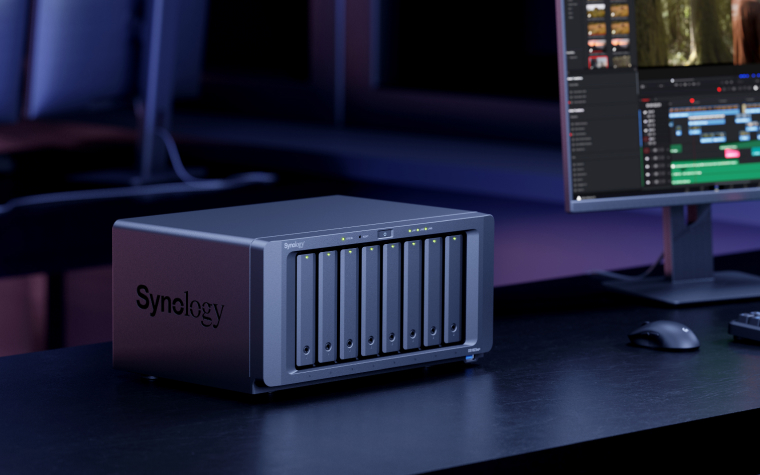
Safe, dependable, and scalable
Built-in data integrity protection, remote management options, and easy hardware expansion make the DS1823xs+ dependable, easy to maintain, and cost efficient.
Data integrity protection
The Btrfs file system helps prevent data corruption or loss through metadata mirroring, file self-healing, and efficient point-in-time snapshots. ECC memory provides additional integrity safeguards.
Efficient remote management
Monitor, manage, and replace drives and storage online in Synology DSM. Remotely reboot, reset, or view logs while the system is down thanks to out-of-band management (OOB).
Plug-and-play expansion
The DS1823xs+ can be scaled to up to 18 bays by adding two DX517 expansion units without system downtime, thanks to online storage and volume expansion.
The performance you need
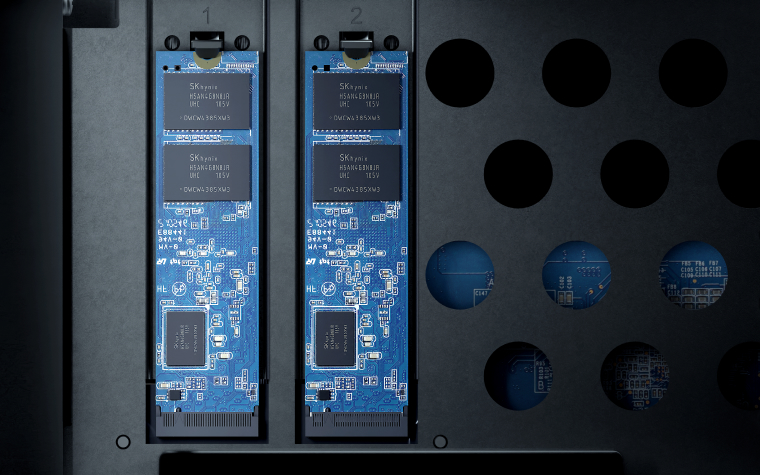
Configure the DS1823xs+ to handle any workload. Easily add 1/10/25GbE or Fibre Channel ports and designate NVMe or SATA SSD volumes as read/write cache to boost HDD performance.
Over
3,100/2,600 MB/s
read/write
Up to
25GbE
networking
2 x M.2
NVMe SSD
cache & storage pool
Private cloud
A private cloud suite for file sharing
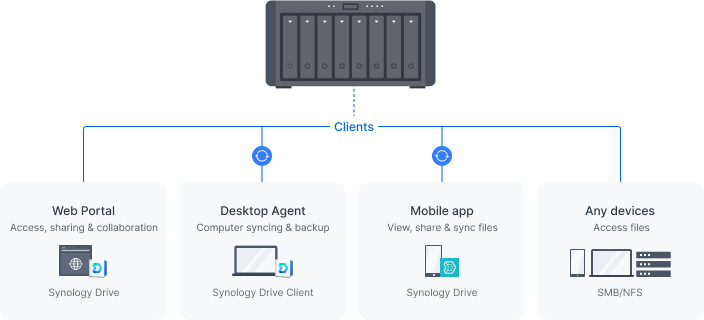
Empower your entire organization with a streamlined ability to access, share, and sync data from anywhere. Provide employees with access to corporate files through mobile apps, desktop clients, and a browser-based interface. Set granular file and folder access and sharing permissions. Maintain a full overview of file activities and track file share settings changes with detailed records in the Synology Drive Admin Console.
Dependable and secure network storage
Use shared folders on your Synology device as reliable storage available from anywhere on your local network over all common protocols (SMB/NFS/WebDAV/FTP). Protect your files against accidental changes and removal or even malware attacks with built-in snapshot technology and other backup options.
Cross-site syncing
Secure site-to site file and folder syncing
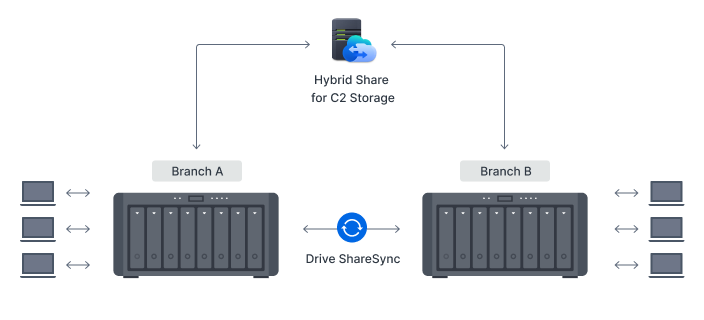
Make sure branches always have up-to-date copies of crucial documents and data available locally by syncing Synology systems one or two-way using Synology Drive ShareSync. Have files updated across locations each time there is a change to efficiently keep all stakeholders on the same page.
Efficient cross-site syncing through the cloud
Boost syncing speeds, cut bandwidth use, and reduce your storage footprint by leveraging the powerful connectivity of our data centers. Synology Hybrid Share intelligently synchronizes data to Synology devices.10 Large or less frequently accessed files are stored on the cloud to reduce local storage requirements, while frequently used files are stored on local devices to provide users access at LAN speeds.
Back up all your devices
Centralize your backup and recovery solution
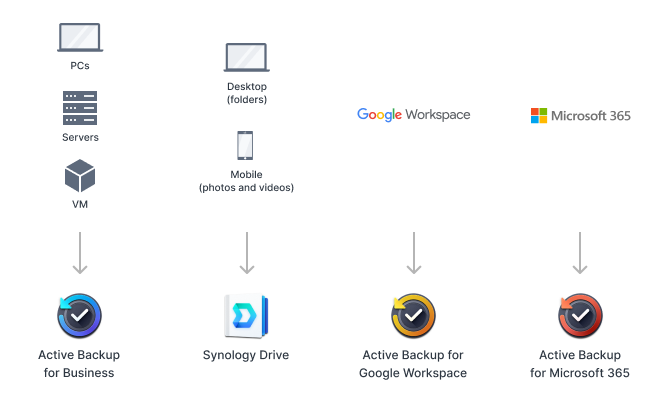
Consolidate and automate backup tasks for PCs, file servers, VMs, SaaS applications, and more with Active Backup Suite. Administer device backups remotely through a centralized portal and quickly restore specific files or entire devices to keep your business up and running. Take advantage of built-in remote backup solutions designed to protect your data with seamless 3-2-1 backup configurations
Smart surveillance
Synology Surveillance Station
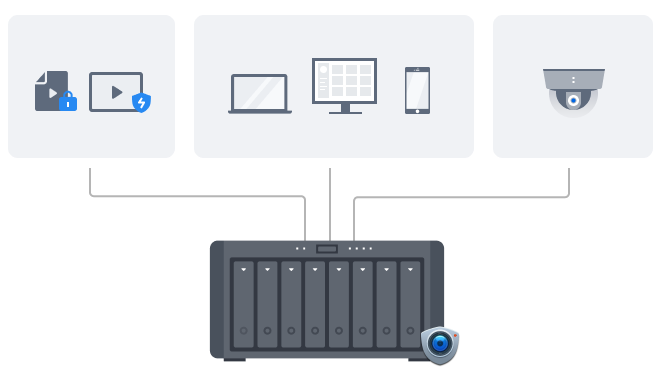
Protecting your business has never been easier, with centralized management, support for over 8,700 IP camera models, and remote monitoring and playback. Synology’s scalable video management system provides all the tools you need for live monitoring, investigation, management, and backup
Protect your Synology system
Perform full system backups with Synology
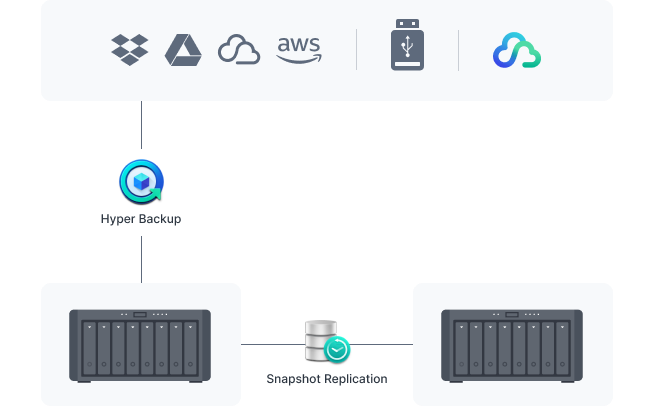
Protect all data, applications, and configurations on your Synology systems with comprehensive scheduled backups to local and remote servers, external drives, or cloud storage destinations including Synology C2 Storage.
Protect folders and LUNs with snapshots
Configure efficient point-in-time snapshots of shared folders and LUNs at intervals as short as 5 minutes. Allow users to easily restore previous versions of files unassisted, quickly recover VMs, and copy snapshots to another server to benefit from rapid storage failover

Synology productivity solutions
Collaboration in a secure cloud
Create and edit documents, spreadsheets, and slides together with your whole team in real time. Easily migrate existing documents from other platforms and take ownership of your files in a secure private cloud.
Synology’s private cloud mail solution provides ease of use, full data ownership, and robust data security with a low total cost of ownership thanks to its perpetual licensing model.
Keep teams connected through encrypted one-on-one private chats, public channels, and group conversations. Efficiently organize discussions with bookmarks, searchable hashtags, and chatbots.
Containerization and virtualization-ready
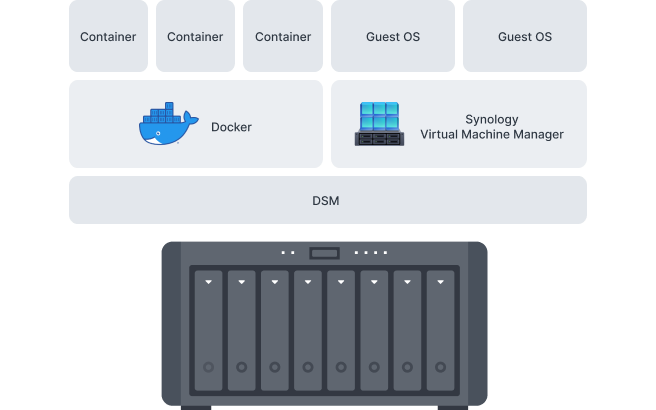
Application test environment
Run Docker containers and VMs on DS1823xs+ using Docker and Synology Virtual Machine Manager (VMM)11 — a hypervisor for virtualized versions of Windows®, Linux®, and DSM — to safely test and evaluate applications.
Virtual DSM serves as a test environment for package updates or to add an additional layer of security between applications, systems, and data.
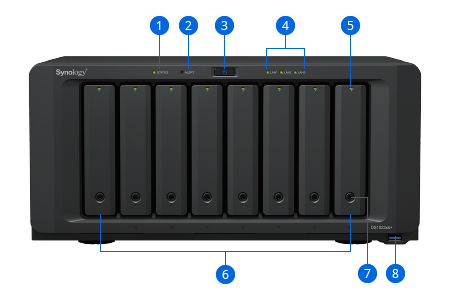
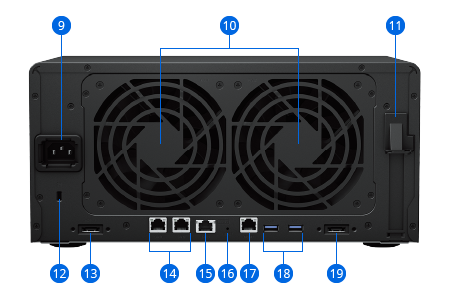
- 1. Status Indicator
- 2. Alert Indicator
- 3. Power Button and Indicator
- 4. LAN Indicators
- 5. Drive Status Indicators
- 6. Drive Trays
- 7. Drive Tray Locks
- 8. USB 3.2 Gen 1 Port
- 9. Power Port
- 10. Fans
- 11. PCI Express Expansion Slot
- 12. Kensington Security Slot
- 13. Expansion Port
- 14. 1GbE RJ-45 Ports
- 15. 10GbE RJ-45 Port
- 16. Reset Button
- 17. Management Port
- 18. USB 3.2 Gen 1 Ports
- 19. Expansion Port
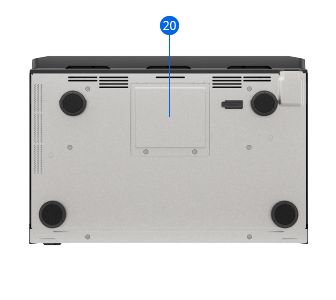
- 20. Memory Slots